 1-361-589-1048
Table of Contents
- What Defines Retro Computer Aesthetic Sticker Packs
- Durable Vinyl Stickers for Laptops That Actually Last
- Weather Resistant Stickers for Water Bottles and Outdoor Gear
- Top Retro Computer Aesthetic Sticker Packs
- How to Apply and Remove Retro Computer Stickers Without Damage
- Styling Your Laptop and Water Bottle with Retro Tech Designs
- Frequently Asked Questions
Last Updated: September 4, 2026
Retro computer aesthetic sticker packs are vinyl decals that celebrate the visual language of 1980s and 1990s computing, from pixel art and phosphor-green text to operating system error icons and Y2K tech motifs. These aren't generic cute stickers; they are niche tributes to the machines and interfaces that defined an era of personal computing. At The Wits End, we design and print these decals for makers and vintage tech enthusiasts who want their modern gear to carry a bit of that early digital soul. Below, we'll break down what separates a durable sticker from a flimsy one, which specific packs are worth your money, and how to apply them without wrecking your laptop lid or water bottle.
The real problem with most sticker packs on the market is that they prioritize quantity over material quality. A 50-pack of random retro icons sounds like a deal, but if the adhesive fails or the print fades after a few months on a water bottle, you've wasted your money. A retro computer aesthetic sticker pack should be built from high-opacity vinyl that resists weather, scratching, and UV damage, not thin paper that curls at the edges. Before you buy, check the material specs and the print finish, because that is what determines whether your sticker bomb looks sharp or peels off by spring.
What Defines Retro Computer Aesthetic Sticker Packs
A retro computer aesthetic sticker pack is defined by its visual references to the user interface elements, hardware icons, and error screens of early personal computing. Think monochrome monitors, blinking square cursors, the Atari ST "Busy Bee" mouse pointer, and the ominous "4-Bomb" illegal instruction error. These designs tap into 90s nostalgia and retrowave culture, appealing to people who remember typing commands into a blinking prompt or who romanticize that era through modern tech illustration.

The aesthetic spans several distinct sub-genres. There is the minimalist monochrome look, which mimics the paper-white or phosphor-green displays of the era. There is the pixel art style, which recreates sprites and icons from 8-bit and 16-bit systems. And there is the industrial "warning label" approach, which treats retro operating systems like hazardous materials. Each style serves a different purpose: subtle nods for the office, loud declarations for your personal gear, and inside jokes for the initiated. The best packs combine these elements with a matte or glossy finish that suits your preferred surface.
Durable Vinyl Stickers for Laptops That Actually Last
Durable vinyl stickers for laptops need to survive constant friction, heat from the chassis, and the occasional bump against a backpack zipper. The key specification to look for is a high-density vinyl, typically measured in microns, paired with a high-opacity adhesive film. This combination prevents the sticker from being see-through and ensures it lays flat without bubbles. A matte finish is often preferred for laptops because it resists fingerprints and reduces glare under harsh office lighting.
Application is where most people go wrong. A common mistake is slapping the sticker on a dusty or oily surface, which traps debris under the adhesive and causes peeling within weeks. Clean the laptop lid with a mild alcohol wipe and let it dry completely before applying. The vinyl decals we produce at The Wits End use a 95 micron density film that is impossible to see through, which matters when you are covering up an old logo or another sticker (astm.org). This is the difference between a decal that becomes part of your machine and one that looks like a temporary tag.
Weather Resistant Stickers for Water Bottles and Outdoor Gear
Weather resistant stickers for water bottles face a tougher test than laptop decals: constant condensation, dishwasher heat, and UV exposure from sitting in a car cup holder. A true weather resistant sticker uses waterproof vinyl with a UV-resistant print layer (astm.org). The adhesive must also be formulated to handle temperature swings without becoming brittle or losing grip. High-opacity film is critical here because water bottle walls are often translucent, and a low-quality sticker will show the liquid level through the design.
For outdoor gear like bike frames, skateboards, or e-bikes, durability means more than just water resistance. It means the print won't fade after a season in the sun and the edges won't curl from wind blast. The Grue Warning and Retro OS Warning stickers from The Wits End are printed on this grade of vinyl, making them suitable for everything from a server rack to a water bottle decal. Just remember that no sticker is truly dishwasher safe; hand washing your bottle preserves the decal's color and adhesive integrity far longer.

Top Retro Computer Aesthetic Sticker Packs
The best retro computer aesthetic sticker packs balance niche humor with print quality and adhesive performance. Based on our testing and customer feedback, these are the packs that hold up in daily use while delivering the strongest nostalgia hit.
| Sticker Pack | Price | Material | Best Surface | Best For |
|---|---|---|---|---|
| Retro OS Warning | $2.50 | 95µ vinyl, matte | Laptop, e-bike, server rack | OS enthusiasts, sysadmins |
| Grue Warning | $2.50 | 95µ vinyl, matte | Laptop, journal cover | Zork fans, text adventure players |
| Atari ST Collection | Varies | 95µ vinyl, matte | Laptop, water bottle | Atari ST/TT/Falcon owners |
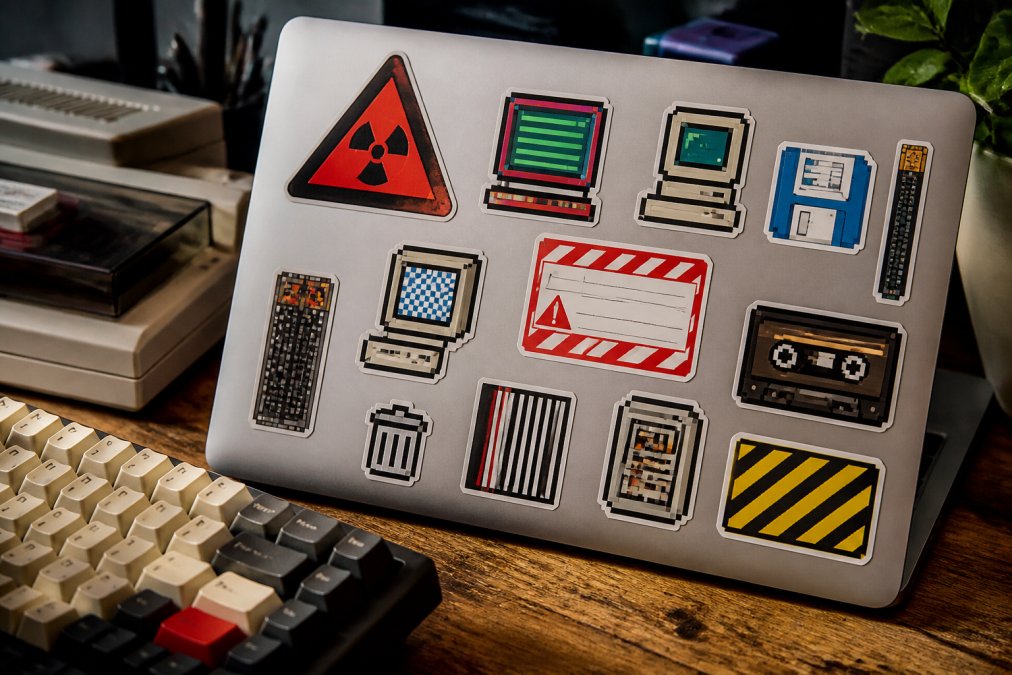
1. May Spontaneously Start Talking About Retro OS Warning Sticker
The "May Spontaneously Start Talking About Retro OS" warning sticker is the perfect public service announcement for anyone who has ever derailed a conversation with a deep dive into BeOS file systems or Amiga multitasking. This is a high-opacity adhesive vinyl decal with a smooth matte finish, available in 3x3, 4x4, and 5.5x5.5 inch sizes to fit everything from a laptop corner to a full server rack panel. At $2.50, it is an inexpensive way to warn coworkers and friends that you are ready to discuss the superiority of your favorite architecture at a moment's notice.
The design features a clean industrial warning aesthetic that looks at home on modern hardware while nodding to the retro operating systems it references, including Atari, Commodore, Linux, and Haiku. The matte finish resists fingerprints, which keeps it looking sharp on a glossy laptop lid. This is the sticker you put on your daily driver if you want to signal your allegiance to the 16-bit era without shouting it in neon pixel art.
2. Grue Warning: Classic 8-Bit Text Adventure Sticker Pack
The Grue Warning sticker immortalizes the most feared sentence in interactive fiction: "It is pitch black. You are likely to be eaten by a grue." This design captures the essence of 1980s computing with a vibrant Atari 8-bit high-resolution font and the classic blinking square cursor that haunted late-night text adventure sessions. It is a tribute to Infocom's Zork and the golden age of command-line gaming, rendered in a retro-minimalist style that works on laptops, water bottles, and journal covers.

This sticker uses the same 95 micron durable vinyl as the OS warning decal, with a high-opacity film that ensures the design pops against any background. The phosphor-green text on a dark field is a direct nod to the CRT monitors of the era, making it instantly recognizable to anyone who typed "North" into a glowing terminal. For fans of retro gaming and text adventures, this is the definitive sticker pack for expressing that specific brand of nostalgia.
3. Atari ST System Error and Busy Bee Collection
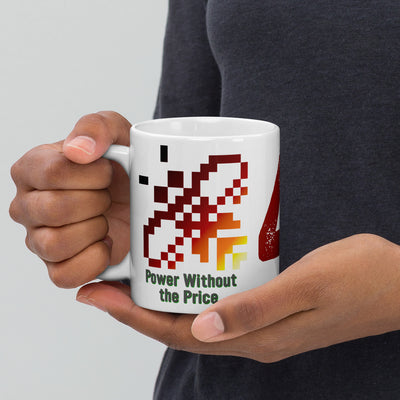
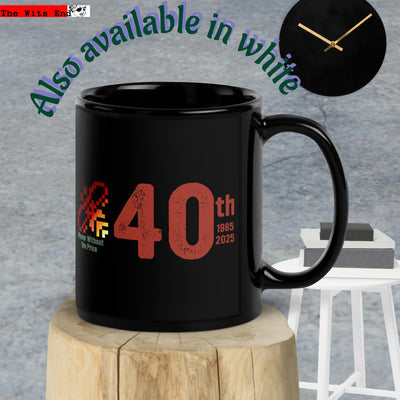
For the Atari ST/TT/Falcon faithful, the Busy Bee mouse cursor and the infamous "4-Bomb" illegal instruction error are iconic symbols of the 68000 CPU era. The Atari Busy Bee design features the animated bee cursor in a brushed aluminum look, a subtle nod that only true fans will recognize on a laptop lid. The "TOS Error" desk mat and related items take this further with a recreation of the system crash screen in authentic monochrome paper-white aesthetic.
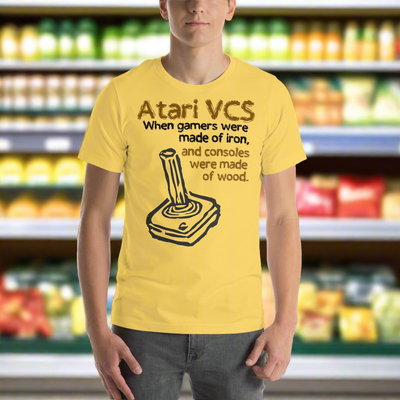
These designs are part of a broader collection that includes t-shirts and mugs, allowing you to coordinate your retro computing aesthetic across your gear and wardrobe. The sticker versions use the same durable vinyl construction, ensuring the pixel art stays vibrant through daily use. If you spent the 1980s navigating the GEM desktop or composing MIDI on an ST, this collection is the most authentic way to carry that legacy forward.
How to Apply and Remove Retro Computer Stickers Without Damage
Applying a vinyl sticker correctly is a three-step process that takes about two minutes and prevents most adhesion failures. First, clean the surface with an isopropyl alcohol wipe and allow it to dry completely. Second, peel the backing paper away slowly, starting from one corner, and position the sticker before pressing it down. Third, use a credit card or squeegee to push out any air bubbles from the center toward the edges.
Removal requires patience and heat. A common mistake is yanking the sticker off cold, which can leave adhesive residue or, worse, pull up paint from a cheap laptop lid. Use a hairdryer on medium heat for 30 seconds to soften the adhesive, then peel slowly at a 45-degree angle (the CDC). Any remaining residue can be removed with a dab of rubbing alcohol or a citrus-based adhesive remover. This method preserves the finish on your laptop, water bottle, or bumper, allowing you to swap designs as your aesthetic evolves.
Styling Your Laptop and Water Bottle with Retro Tech Designs
Styling your gear with retro computer aesthetic sticker packs is about curation, not coverage. A sticker bomb approach works on a dedicated beater laptop or a skateboard, but on a daily driver, a few well-placed decals create a stronger statement. Start with one hero sticker, like the Grue Warning or the Retro OS Warning, placed near the center of the lid or the top corner of a water bottle. Then build outward with smaller complementary decals, leaving negative space so each design reads clearly.
Consider the color palette of your gear when choosing stickers. A matte black laptop pairs well with phosphor-green text and monochrome designs, while a silver or white machine benefits from high-contrast black and red warning labels. For journaling and scrapbooking, the smaller 3x3 inch stickers work well as accents on covers and inside pages, adding a vintage office setup vibe to your analog tools. The goal is to create a cohesive look that reflects your specific corner of retro computing culture, whether that is Atari, Infocom, or generic Y2K tech.
Choosing the right retro computer aesthetic sticker packs comes down to material quality, design authenticity, and knowing where you will put them. The Wits End designs stickers that survive daily use on laptops and water bottles while celebrating the operating systems and games that shaped modern computing. Our decals are printed on 95 micron high-opacity vinyl with a matte finish, and they are made to order alongside our hand-screened apparel and desk accessories. Get started with The Wits End and give your gear a retro computing makeover that actually lasts.
Frequently Asked Questions
What defines the retro computer aesthetic?
The retro computer aesthetic draws from 1980s and early 1990s computing culture, featuring pixel art, phosphor-green text on black backgrounds, iconic hardware like the Atari ST, and vintage user interface elements. It celebrates the visual language of old operating systems, text adventures like Zork, and the colorful simplicity of early personal computers. This aesthetic appeals to tech enthusiasts, makers, and anyone nostalgic for the Y2K era and retrowave design movement.
Are durable vinyl stickers for laptops actually weather resistant?
Yes, high-quality vinyl stickers made from 95-micron density material with high-opacity adhesive are genuinely weather resistant. They withstand water, UV exposure, and temperature changes without peeling or fading. The key is proper surface preparation before application, clean the laptop thoroughly to ensure the adhesive bonds correctly. Stickers with matte finishes tend to resist scratching better than glossy ones, making them ideal for daily use on laptops and water bottles.
How do I choose the right retro computer aesthetic sticker pack for my setup?
Consider your device and aesthetic preference. For laptops, choose designs that reflect your favorite retro OS or gaming reference (Atari, Amiga, BeOS, Commodore). For water bottles, opt for smaller, non-repeatable designs that won't look cluttered when wrapped around curved surfaces. Think about whether you prefer pixel art, text-based warnings, or hardware icons. The Wits End offers sticker packs starting at $2.50, with multiple size options to fit different surfaces.
Can I use retro computer stickers for journaling and scrapbooking projects?
Absolutely. Retro computer stickers work beautifully in scrapbooking and journaling, adding a nostalgic, geeky dimension to your pages. Their die-cut shapes and vintage aesthetic complement both digital and analog creative projects. The durable vinyl construction means they won't curl or fade in albums over time. Many collectors use them to document their tech interests and personal history, blending retro computing nostalgia with storytelling.
What makes The Wits End's retro computer stickers different from generic options?
The Wits End is a veteran-owned shop specializing in on-demand products with authentic retro computing designs. Their stickers feature high-opacity vinyl, precise die-cut shapes, and designs created by people who genuinely understand geek culture and 1980s tech history. Each sticker pack is made to order, ensuring quality control and supporting a small business that celebrates retro aesthetics with irony and depth rather than mass-market generic nostalgia.
This article was written using GrandRanker